


Mai 2026; Autor: Fabian Mosh, @ShitSecure
1. Intro
Microsoft Graph is a valuable endpoint for dozens of operations typically being used in Offensive Security projects. Once you have valid credentials and were able to get around Multifactor (MFA) and Conditional Access Policies (CA) you can enumerate a lot of interesting information from this endpoint to identify vulnerabilities in the target environment, but it's also possible to perform post exploitation actions or persistence tasks via MS Graph. In the last years, multiple tools were released which interact with this endpoint, such as for example GraphRunner or GraphSpy.
If you didn't do so, I highly recommend reading the GraphRunner Introduction Blog post for GraphRunner as this covers a lot of common scenarios/tasks that you would typically check for on a target environment.
The 429 Microsoft Graph Mystery
When authenticating to the Microsoft Graph endpoint with Graphrunner and the Get-GraphTokens function, you can choose between user/password or device code authentication. By default, you will get a token with the "Microsoft Office" appID and it's permissions, which is usually a lot of different permissions such as reading all user and group information for example:

Using Invoke-GraphRecon with that authentication token would provide us some common risky default configurations of the target tenant already, however using that function without any special parameters almost instantly get's blocked from Microsoft with an (429) Too Many Requests error message:

What? Why? This didn't happen when GraphRunner was released more than three years ago. It was "introduced" at some pointer later in time by Microsoft. When looking up this error message we'll find out that this is a common error message from API endpoints that have some kind of rate limiting or throttling enabled:
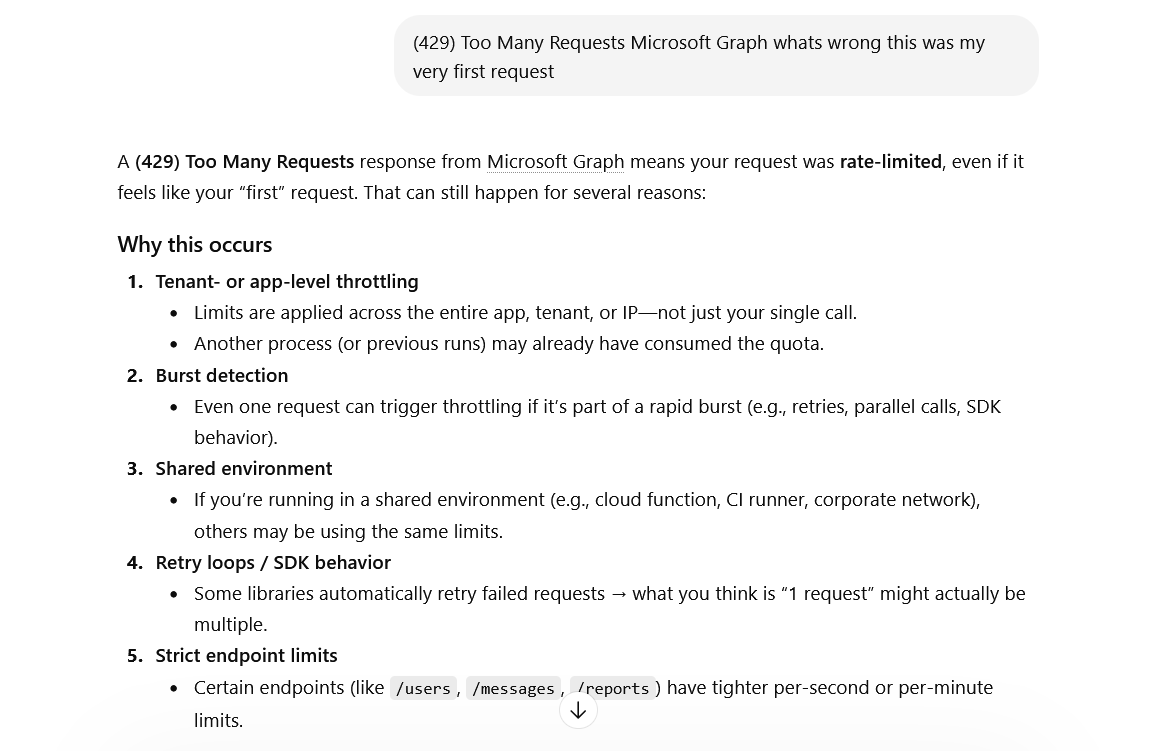
But this even happens if the target environment is a test environment with just one user and when no other users were using the Graph endpoint at this time. Usually, for most other WebApp API endpoints, waiting a few minutes and trying again after time x works perfectly fine to avoid this issue. Trying from a different source IP or similar is also a good workaround. But in the case of Microsoft Graph all these things won't help you, the same error will appear again and again. So it's not about the source IP, it's not about the amount of requests that were issued - maybe overall world wide for all tenants and for specific criteria only?! Only Microsoft knows, it's a blackbox for us. But what else can we influence here? We can influence the User-Agent of our requests as well as the Device-Type that is being used for authentication via the -Device or -Browser input parameters:
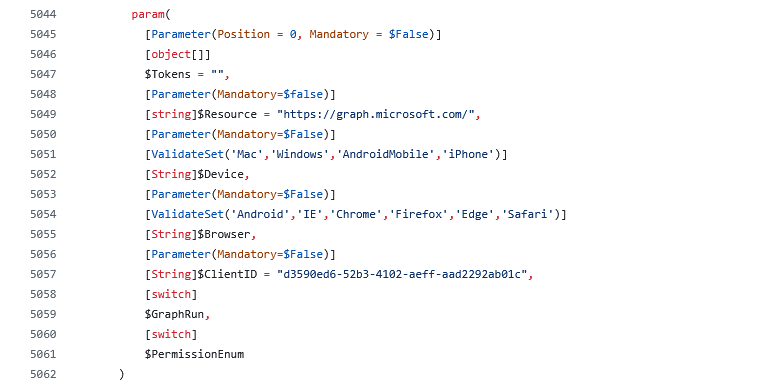
When fiddling around with these parameters you will see that you still mostly get 429 too many requests errors but partially also output is retrieved, which indicates that indeed Microsoft rate limits this endpoint per time with specific criterias:
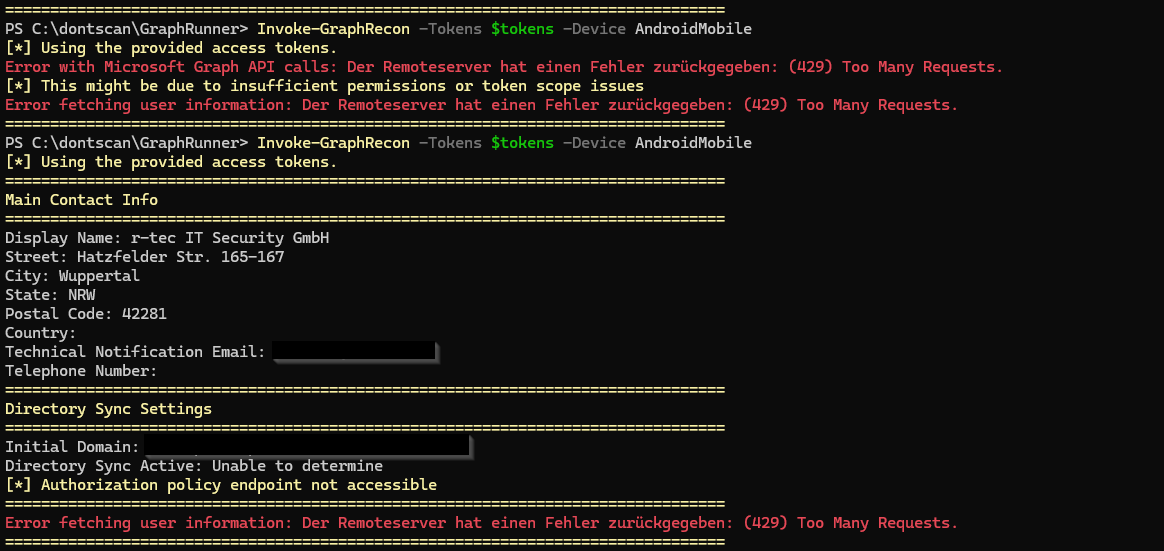
But this doesn't make the tools usable again, because if one request out of hundreds of thousands succeeds, we get to try enumerating this environment for weeks or months before getting rid of this rate limiting issue. But even if you can enumerate some information with custom Device and Browser values, many functions lack support for these customizations such as for example the Get-DynamicGroups function, which only has the authentication token as input parameter option:

So we usually always get throttled when trying to enumerate dynamic groups with this function and cannot even try different Device or Browser combinations to avoid rate limiting partially:

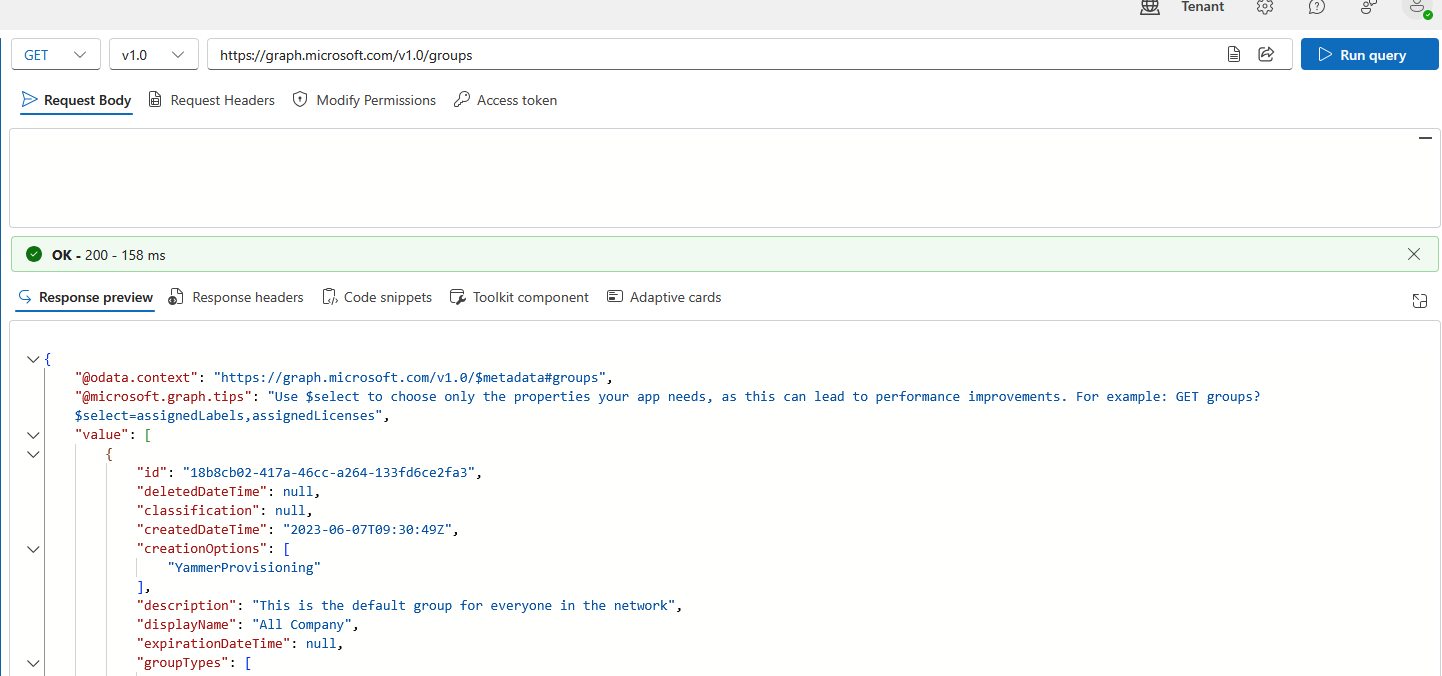
Here, we had a partial success or "luck shots" with some requests going through, however this didn't make me happy at all. So I was wondering which other criteria could be used here by Microsoft for throttling requests on the Graph endpoint. Doing the exact same query used by Get-DynamicGroups in the Microsoft Graph Explorer which on the endpoint https://graph.microsoft.com/v1.0/groups usually always succeeds and is not throttled at all:
The important throttling criteria
Fiddling around with options that we have made clear relatively fast, that we need to use a different ClientID/appID for authentication to MSGraph to not get throttled anymore. But this comes with a problem. The default ClientID of Microsoft Office was likely chosen because of its exhaustive permissions - using that makes sure that most functionality works and all data needed can be retrieved properly from the MSGraph endpoint. So as soon as you switch to a different ClientID for authentication, you will also have different permissions inside of MSGraph and might not be allowed anymore to query all information for all functions.
How do we get the information about which ClientID covers which permissions on which resources? Luckily and big thanks to Fabian Bader we have EntraScopes. Here, you can filter for the permissions that you need, for example Directory.Read.All and Group.ReadWrite.All and we get dozens of results for Apps with these permissions:
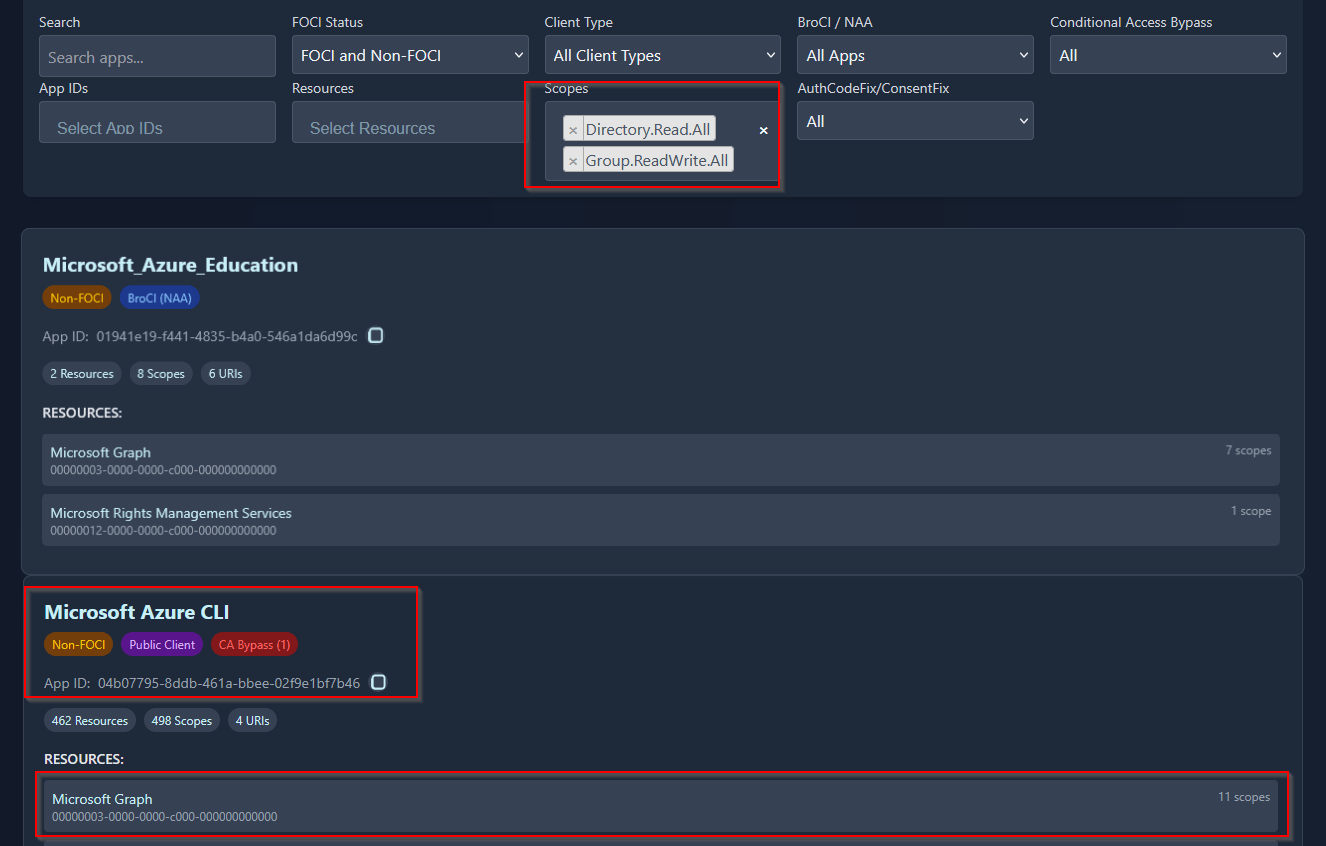
Don't ask me at this point which permissions exactly are needed for which functionality - I have no clue I never digged that deeper. I'm usually just choosing an AppID with as many MSGraph scopes as possible so in this case we can try Microsoft Azure CLI with the ID 04b07795-8ddb-461a-bbee-02f9e1bf7b46 as candidate:
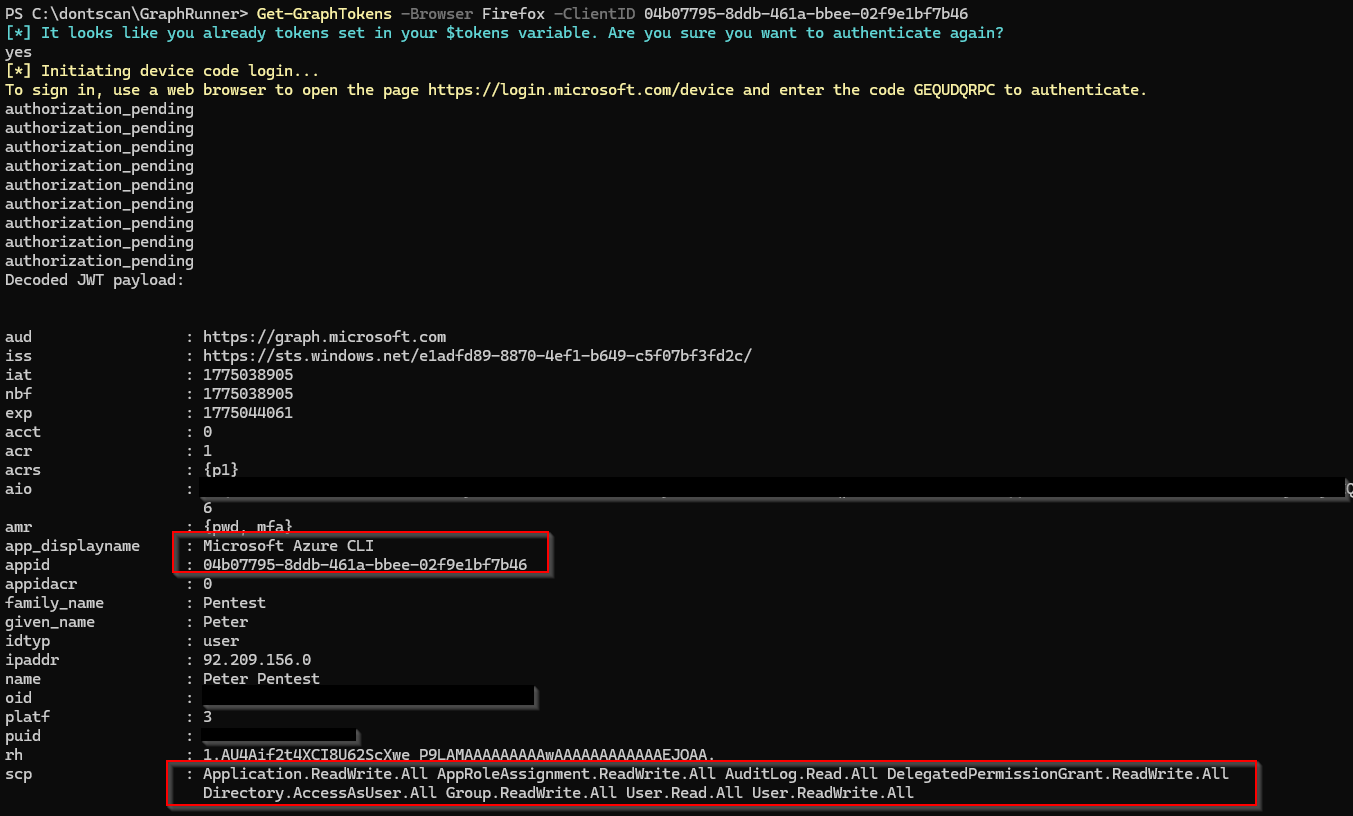
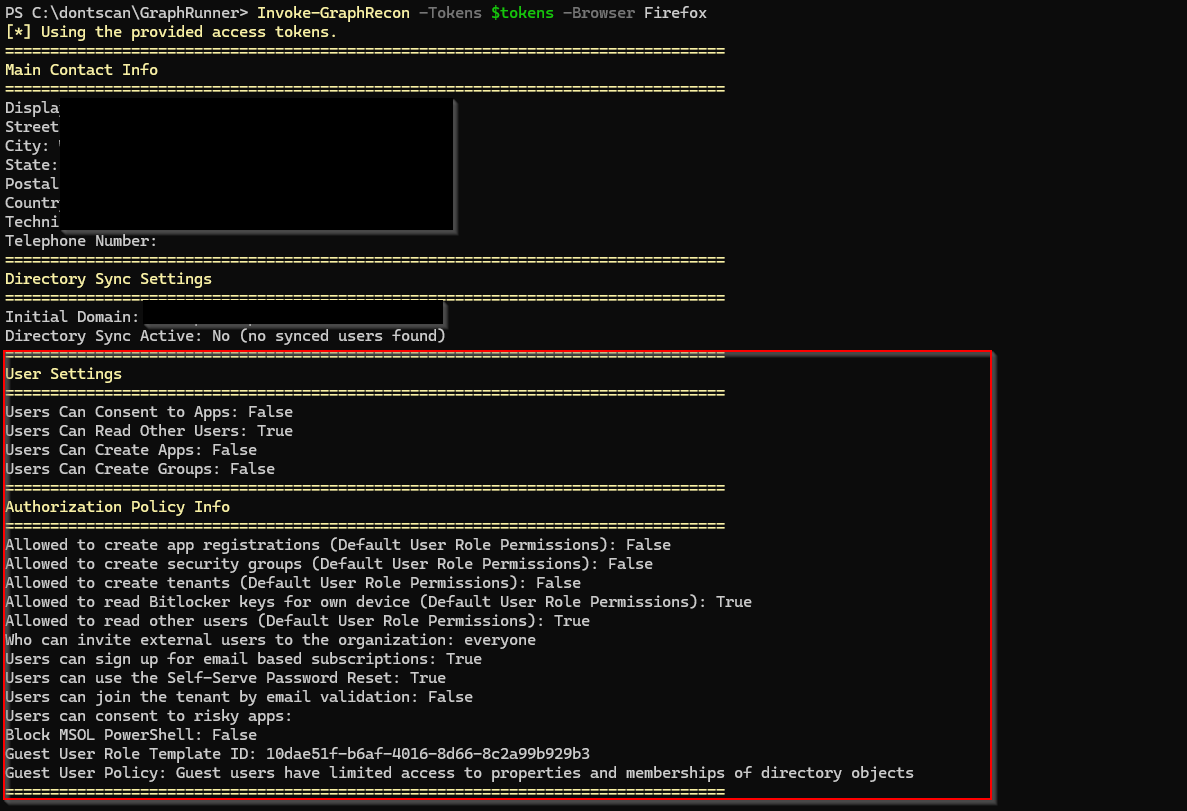
And voila! It's magic, we get all the Invoke-GraphRecon output directly and can re-run multiple times in a row, we don't get 429 too many requests anymore. Although we don't even specify a custom Device or Browser value at all:
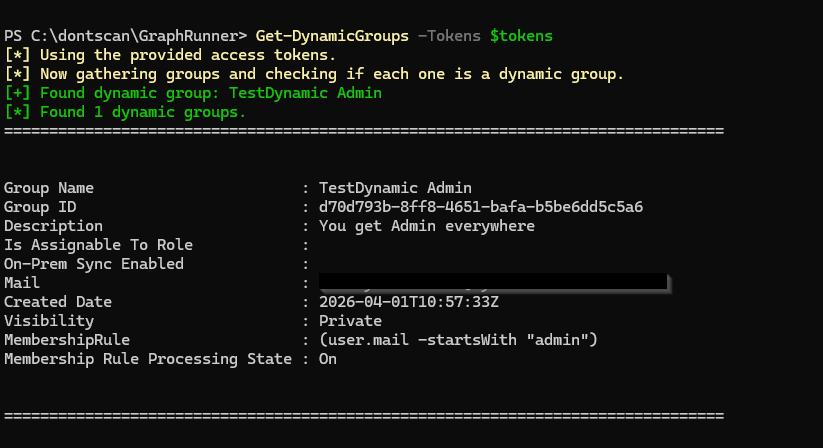
We can now also query dynamic groups for example again with that modified AppID authentication token:
So it seems like (just a guess of course because it's a BlackBox) with the introduction of OffSec tools that use Microsoft Office as ClientID for authentication to Graph, Microsoft either throttled this ID specifically or due to the amount of pentesters querying the endpoint with this ClientID or the max allowed ranges are reached most of the time. We will never know - but now we have a workaround. :-)
Modifying Graphrunner for edge cases
We learned now that as long as you are calling Get-GraphTokens with a custom ClientID parameter you will likely get rid of the 429 too many requests issue. But when you directly call functions such as for example Get-DynamicGroups without an existing token it will call Get-GraphTokens internally with the default ClientID and you will be throttled again. Why? because these many functions:
- Use the hardcoded
Microsoft OfficeClientIDto retrieve a new token - Don't have User-Agent Spoofing support yet
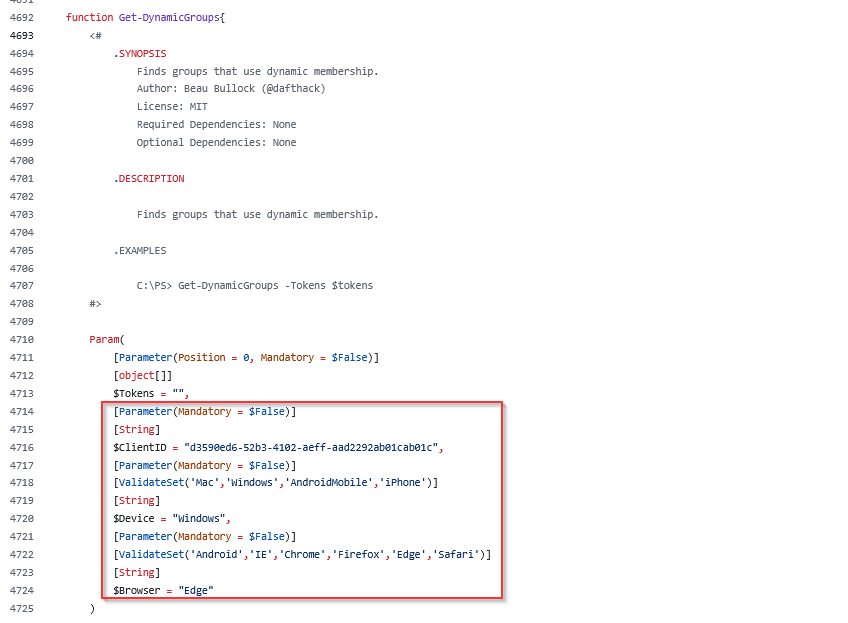
So I went for a quick & dirty Claude session to add -ClientID, -Device and -Browser input parameters so that those will be used for any API request being made. There is a Pull Request with these changes here:
https://github.com/dafthack/GraphRunner/pull/51
There might be edge cases where you are still throttled with 429 Errors for single functions and now these changes might also solve these situations. On top of that, in some functions the custom User-Agent support helps for Conditional Access bypass scenarios.
Final words
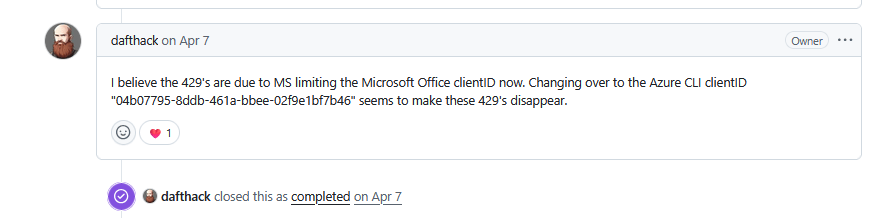
I know from discussions on Discord and other channels that many other pentesters faced these issues as well and were curious on how to "fix" them. And fun fact I knew there was an open Github Issue that wasn't solved yet when I did all these modifications but looks like the same solution was not provided in the issues section as well already in April 2026:
Anyway, I hope this blogpost highlights it for some of you and for those who are searching for a solution and you might have ended up here and it helped!
Warum r-tec?
- Technisch voraus, menschlich auf Augenhöhe
- Passgenaue Servicelösungen, kurze Reaktionszeiten, schnelle Terminierung, direkter Expertenkontakt
- Schnelle Hilfe im Angriffsfall
- ausgeprägte Service Struktur
- 25 Jahre Erfahrung in Konzeption, Aufbau und Betrieb von Cyber Security Lösungen
- ISO 9001 und ISO 27001 zertifiziert
Kontaktieren
Sie uns!
Sie haben ein IT Security-Projekt, bei dem wir Sie unterstützen können? Wir beraten Sie gerne! Hier können Sie ein unverbindliches und kostenloses Erstgespräch vereinbaren.